

Make a QR code tip sign
Your QR code is more useful when fans can spot it from the room. Use our practical guide to make a clear sign for your next gig.
Make your QR tip sign →One QR code. One link. Fans pay in seconds with Apple Pay, Google Pay, or card — no app, no sign-up, no card reader.
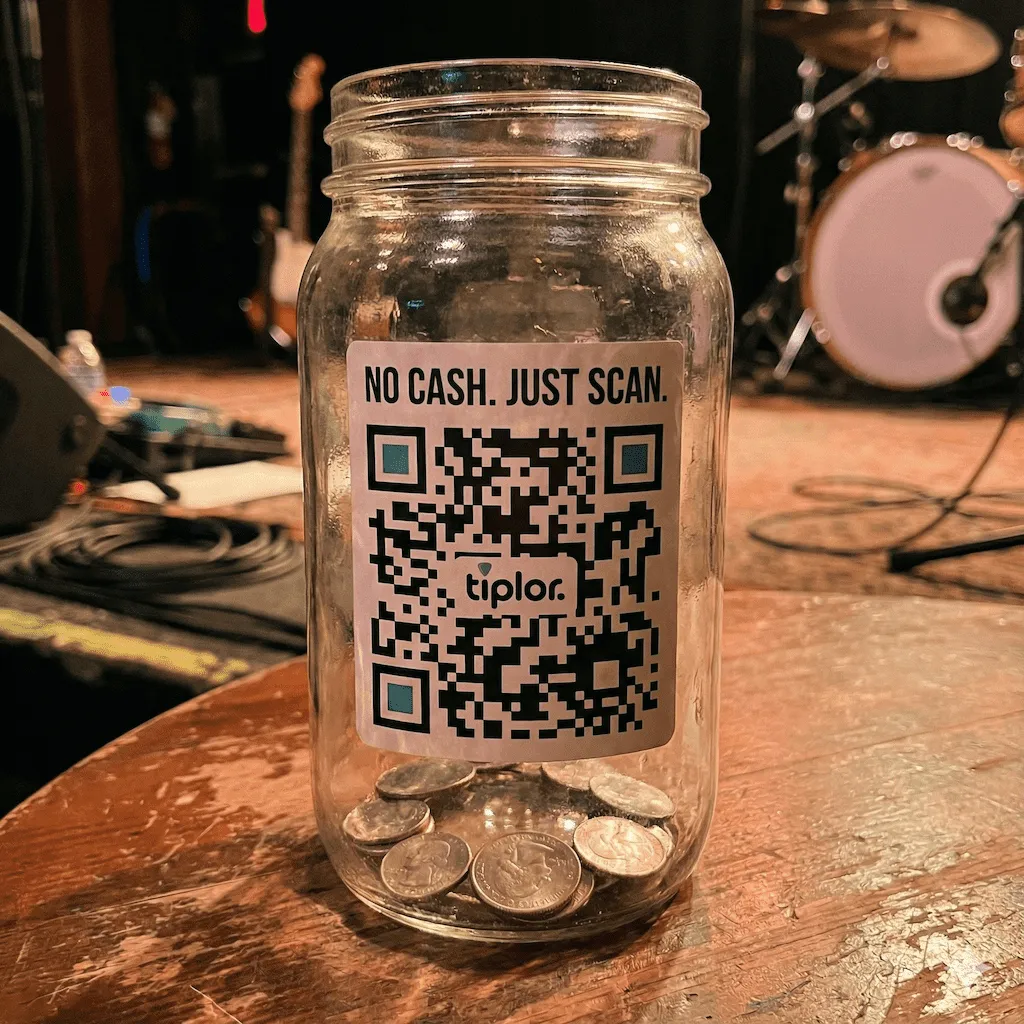
A digital tip jar is a cashless companion to the physical jar, bucket, or hat musicians have always used — it doesn't replace the jar, it catches the tips the jar can't. Alongside the fans who drop in cash, everyone else can scan a QR code or tap a link on their phone, pick an amount, and pay in seconds.
You might also hear it called a virtual tip jar or an online tip jar. For a live performer, it is the same simple idea: one public link and one QR code that works at the venue, in a social bio, or anywhere fans find you.
The shift matters because fewer fans carry cash. According to recent payments data, only about 16% of in-person transactions in the US happen with cash now — and the rest are split between card, Apple Pay, Google Pay, and other digital methods. A physical tip jar at a 2026 gig is a tip jar most fans can't actually use.
A digital tip jar fixes that by meeting fans where their money actually lives — in their phone, in their wallet app, on their card. Tiplor is a digital tip jar built specifically for live performers: musicians, buskers, comedians, and venues who want to make tipping at a show as fast as ordering a coffee.
Three steps to get ready for your first tip.
Pick your username — that's your permanent tip page at tiplor.com/@yourname. It never changes.
Download it for printed signs, save it to Apple Wallet or Google Wallet, or paste the link in your social bios. Your tip jar is now everywhere you are.
Fans scan, pick an amount, pay in seconds with Apple Pay, Google Pay, or card. The money goes straight to your bank via Stripe.
Most "digital tip jars" are general creator tools — built for podcasters, illustrators, or developers. Tiplor is built specifically for performers playing live shows.
Your tip page automatically shows a "Live Now" badge on show days, with the venue name and a link to your gig calendar. Fans who scan mid-set know they're tipping the right artist at the right show.
Fans scan the QR or tap the link, pay with Apple Pay or Google Pay, and they're done in about ten seconds. No download, no account, no friction.
One simple fee covers Stripe processing and Tiplor's platform cost. No monthly subscription, no setup fee, no withdrawal minimum. On a $5 tip you keep $4.25.
Turn any gig into a benefit night. Tiplor's fundraiser tools let you split tips between the cause and the artists, with a live progress bar fans can watch in real time.
Tips are processed through Stripe. Bank arrival depends on your connected account’s payout schedule and your bank.
Your dashboard tracks tips, QR scans, and profile views — so you can see which shows and posts actually bring in support.
Print the QR for a venue sign, slap it on your guitar case, drop the link in your Instagram bio, or share it during a livestream. The same tip jar follows you everywhere.
Your QR code is more useful when fans can spot it from the room. Use our practical guide to make a clear sign for your next gig.
Make your QR tip sign →Artists can optionally turn on Song Requests for their own shows, using the same Tiplor QR code fans already scan to tip.
See how Artist Song Requests work →A digital tip jar is a cashless way for fans to tip performers — through a QR code or short link that opens a payment page on their phone. Fans tap an amount, pay with Apple Pay, Google Pay, or card, and the money lands in your account. It works alongside the physical jar musicians have always used — catching the tips from fans who don't carry cash. Most performers run both.
Sign up, claim your username, connect a Stripe account so payouts go to your bank, then download your QR code or copy your link. Step-by-step walkthrough here.
A virtual tip jar is another name for a digital or online tip jar: a QR code or link that lets a fan tip from their phone instead of putting cash in a physical jar. Use it at the show, in your social bio, or on a printed sign.
Create a free Tiplor artist account, claim your band's public link, connect Stripe for payouts, and download the QR code for your sign. Then share the link in your social bios and use the same QR code at every show.
15% all-in on every tip — combining Stripe's processing fee and Tiplor's platform fee. On a $5 tip the creator keeps $4.25. There are no monthly fees, setup fees, or minimums.
No. Fans scan the QR or tap the link, pay with Apple Pay, Google Pay, or card. The whole flow takes about ten seconds. No download, no signup, no account.
Yes. The QR code works wherever there's cell signal. Print a sign for your case, save the QR to Apple Wallet or Google Wallet for one-tap access, or paste the link in flyers and posters.
Venmo and Cash App are person-to-person payment apps — they require fans to have an account, find your username, and send money manually. A digital tip jar is purpose-built for performers: fans don't need an account, the QR opens a real tip page with suggested amounts and your bio, and you get a public link you can share.
On stage, what matters is: fans shouldn't need an app or account; tipping should take seconds with Apple Pay, Google Pay, or card; payouts should reach your bank quickly; and the fee should be simple and transparent. Performer-specific touches help too — a "Live Now" badge on show days, a gig calendar, and built-in fundraisers. Tiplor is built specifically around these for live musicians, buskers, comedians, and venues.
Tips are processed through Stripe. Bank arrival depends on your connected account’s payout schedule and your bank.
Free to set up. Your QR code, your tip page, your gig calendar — all in one place.