

FOR THE PLACES THAT KEEP MUSIC LIVE
You make the
night happen.
Give the room
a way to join in.
Give guests a simple way to tip the music and staff, pay at the door, or support your venue. Each QR makes its purpose clear before they pay.

 For the venues that keep music live.
Three ways to use it.
From the door to the last song, each QR has a clear purpose.
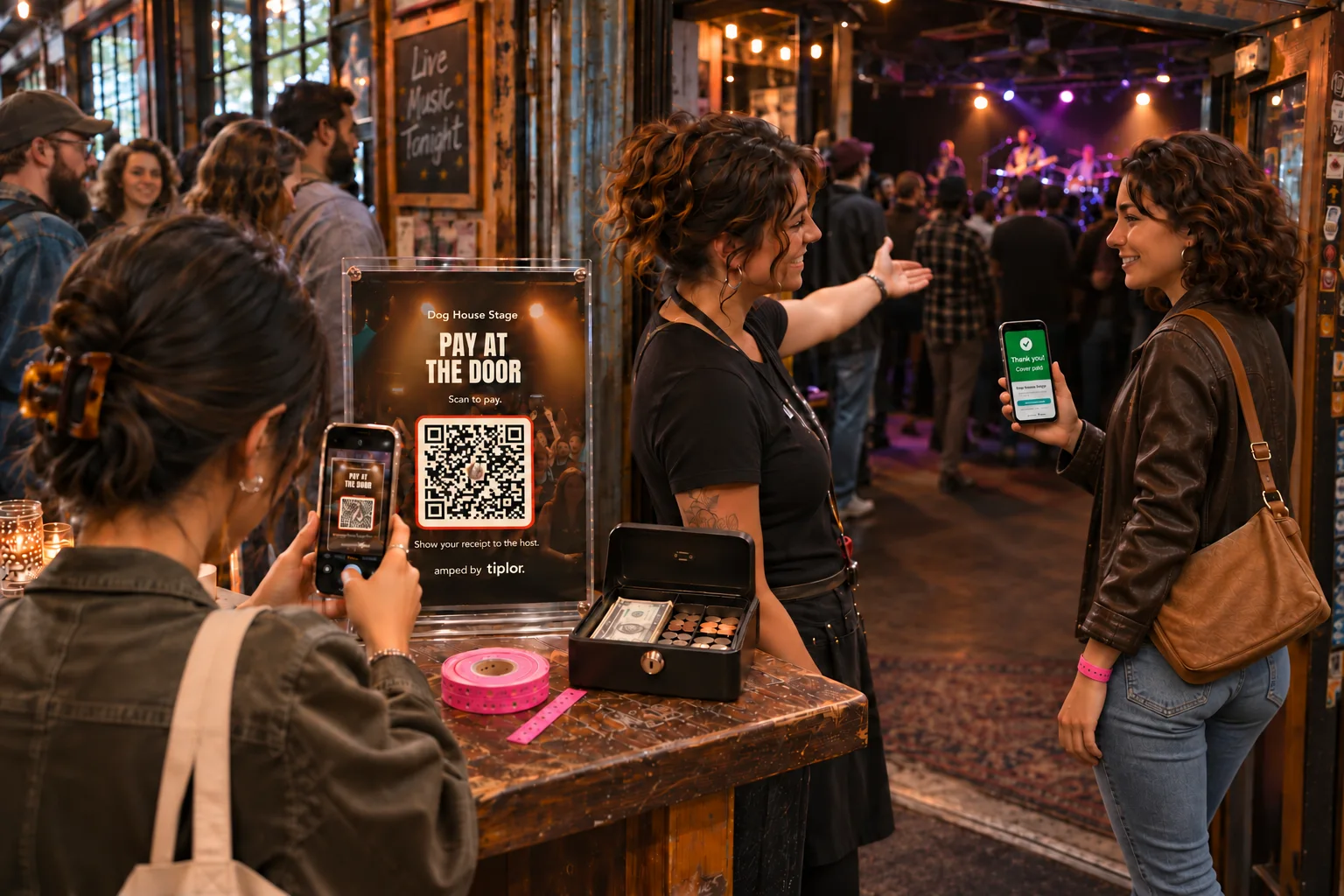
Pay at the door
Guests scan the sign, pay on their phone and show the receipt to the host. Your staff can still take cash and manage admission.
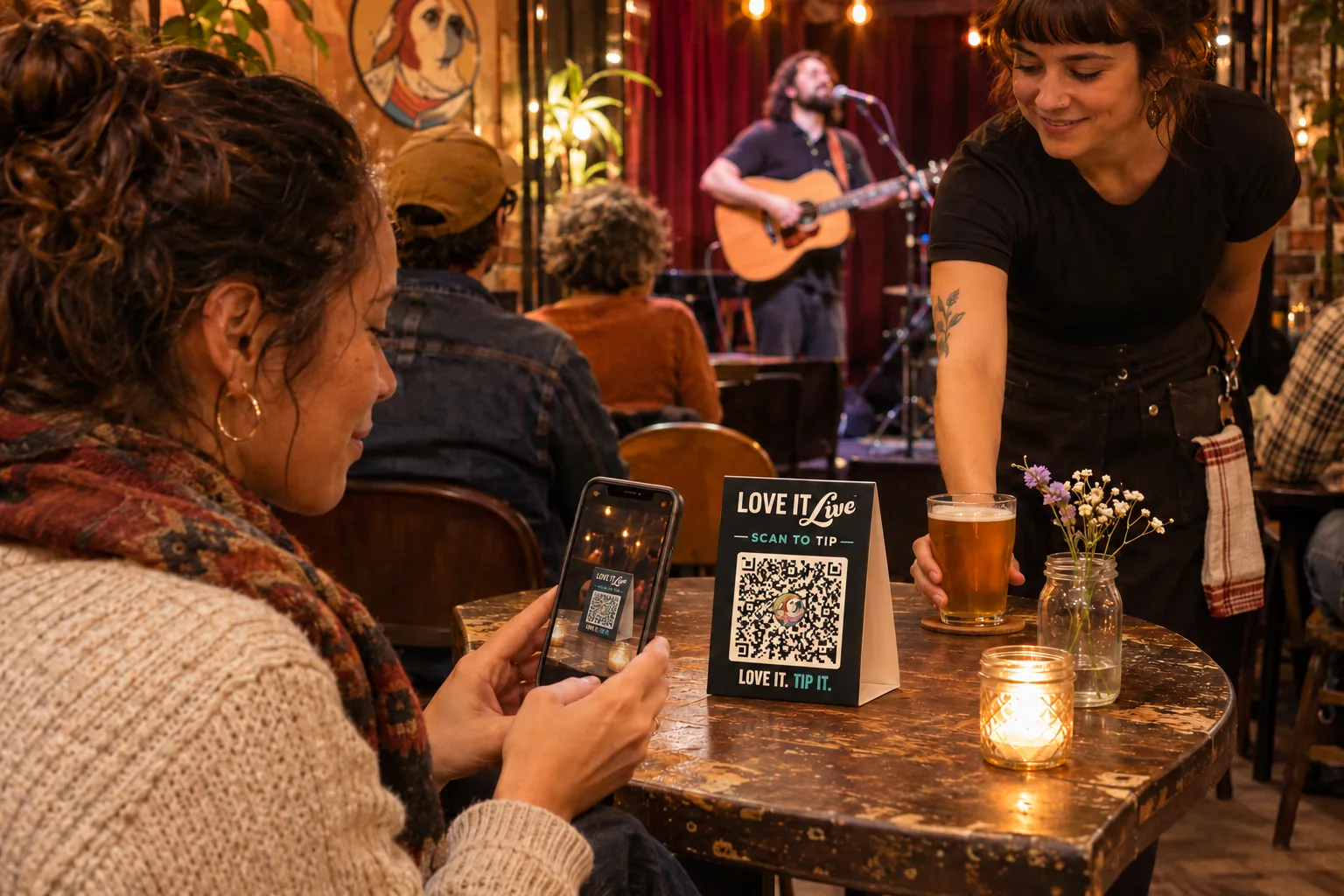
Tip the music and staff
Put a sign on the table or near the stage. Guests can tip the performers or your staff from their phone.
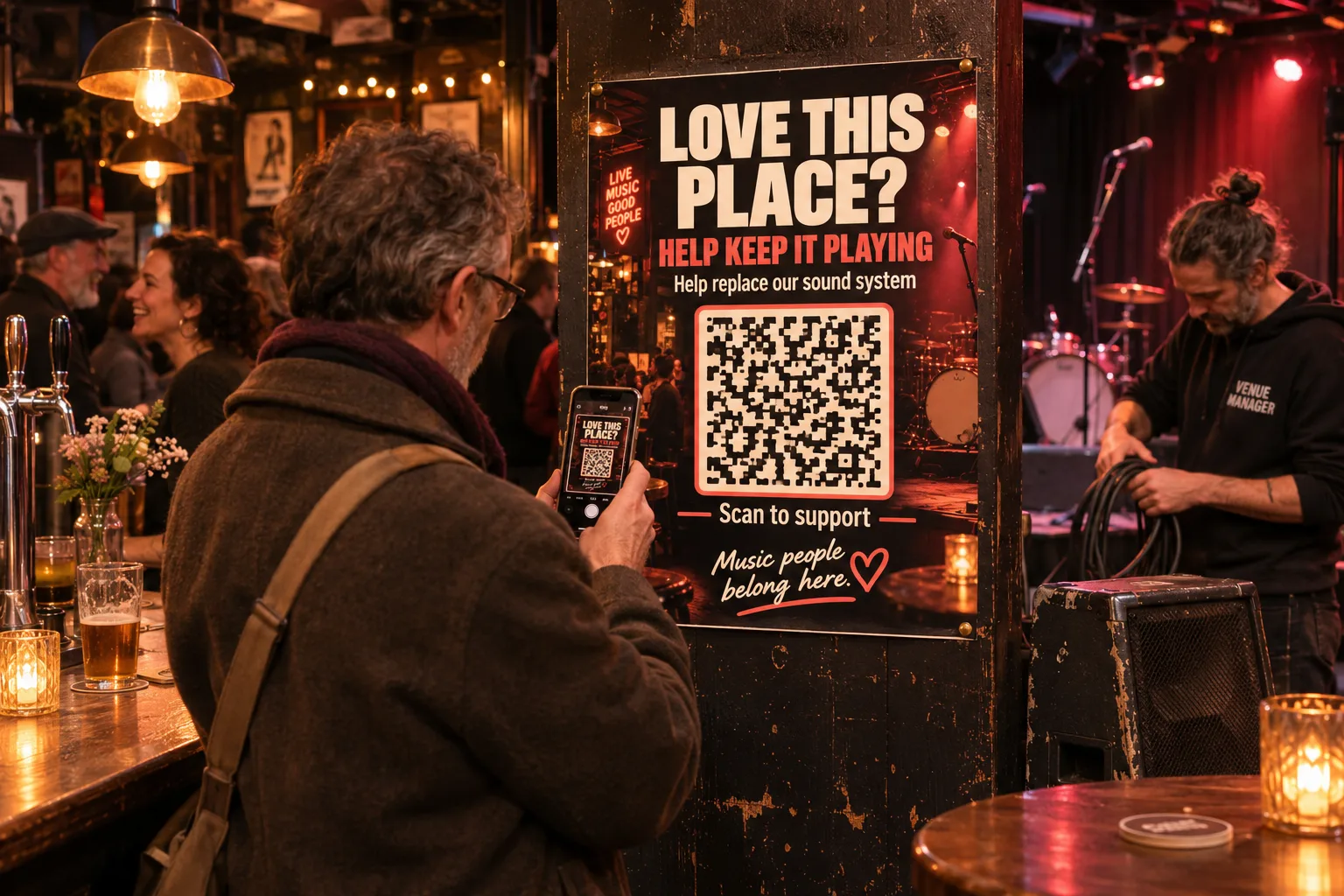
Support this place
Give regulars a way to help with something specific, like replacing the sound system. Contributions go to the venue.
WHAT IT LOOKS LIKE
Choose the purpose.
Make the scan clear.
Choose a sign. Guests scan to see who and what their payment supports.
Scan a sign or open an example below. Payments are disabled in the examples.
 Dog House StageScan to tip
 Example sign
Put the music QR where guests can see it.
Open music and staff tipping example Dog House StageToronto, ON
A home for live music and good company.
No live music scheduled tonight.
🍽️ MENU ›Instagram ›Dog House StageToronto, ONLIVE NOWA home for live music and good company. Dog House Stage♫ No live music at the momentKeep the vibe alive! Support the venue & staff directly.
The QR opens the venue page. This is a quiet-night example.
Illustrative live-show view using the venue page’s performer, playing-time and “Tip the Band” layout.
The usual amount page, illustrated without an active fundraiser.
the doorScan to pay
 Example sign
Place the Door QR at the entrance.
Open Door payment exampleDog House StageAT THE DOORPay below, then show your receipt at the door.
$10.00 CAD · fixed cover exampleContinue to cardNo contribution required to enter.
$5$10$20Select an amountThe set cover appears on the payment page, not on the reusable sign.
Guests can choose an amount; entry does not require a payment.
Receipt DEMO-8F2A
Show this receipt to the host. Staff manage admission.
Thank you for supporting the venue. No payment required to enter.
Save receipt imageEmail my receiptplace?Help keep it playing.
 Example sign
Keep one Support QR for general support or a campaign.
Open Venue Support exampleDog House StageYour contribution supports this venue’s live music.
$5$10$20Choose an amountHelp improve the room for live music.
$130 of $1,500 goal$5$10$20General Support is a voluntary contribution to the venue.
A temporary campaign can replace the message; the QR stays the same.
Dog House Stage examples based on Tiplor’s current pages. Artists, amounts and messages depend on venue settings.
MORE FOR THE WHOLE NIGHT
Bring them in. Give them a reason to return.
The QR is a starting point, not the whole venue story.
Show what’s on.
List gigs, let fans follow your venue, and share updates when messaging is enabled.
Give a night a purpose.
Run a fundraiser through live-music tips or feature a temporary Support campaign.
Know what came in.
A cash jar gives you a total. Tiplor shows digital tips, Door payments and Venue Support separately, with a nightly recap.
SET UP WITH INTENTION
The right sign
for the right moment.
A table sign for tips, a Door sign at entry, or a Support poster for the venue. Guests should never have to guess where their money goes.
- 1
Create your free venue account
Add your venue details and preview the options. Connect Stripe before taking payments.
- 2
Choose the purpose
Choose music and staff tipping, Door, or Venue Support. Check who receives the payment, then set up the matching QR and sign.
- 3
Put it where it belongs
Guests scan and pay on a mobile page that explains what the payment is for. No app is needed.
GOOD QUESTIONS
Before the
first scan.
Do fans need an app or an account?
No. Tipping opens in a mobile web page. Fans don’t need a Tiplor account to contribute.
Are all three payment options on automatically?
No. You can explore setup and previews before connecting Stripe. Available payment options have their own On/Off switches. Connect Stripe and turn an option On before inviting guests to pay.
Is Door the same as a ticket?
No. Door is payment at the venue: either a fixed cover or an optional contribution. Staff manage admission. It does not issue advance tickets or scan guests in.
How do fees work?
The standard Tiplor fee is 15% of a successful performer tip, Door payment or Venue Support contribution. Who receives the rest depends on the payment purpose and any configured split. Refunds, disputes and currency adjustments can affect final balances.
Can a Support campaign name a cause?
Yes. A venue can temporarily feature a campaign and report the portion it commits to that cause. Tiplor does not verify the beneficiary or automatically pay it; the venue handles any onward payment.
YOUR ROOM. YOUR MUSIC.
Start with the way
your venue works.
Join for free, explore the tools, and set up the payment options that fit.